Home Blog Page 4

Mortal Kombat 1 (2025): Cross-Play, Pro Esports & Upcoming DLC

0

Summary

Mortal Kombat 1 rebooted the franchise on Sep 19, 2023, and has since become a pillar of fighting-game culture-selling over 5 million copies, spawning the “Khaos Reigns” expansion, powering a $255K Pro Kompetition Season 2, and delivering regular balance patches, new modes, and guest fighters. This combined article preserves your original narrative while integrating post-launch milestones, community resources, and a late 2025 roadmap to ensure it reads as fresh and comprehensive for 2025 publication.

The Fighting Game MK 1 Official Reboot Launch

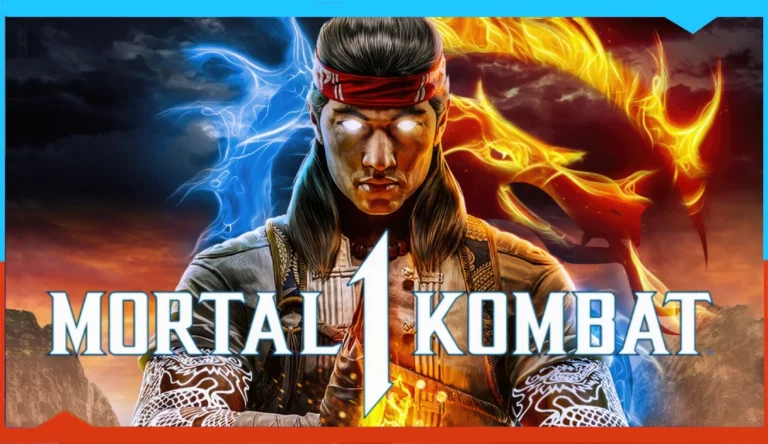
A lot of talk was generated over the past few weeks regarding a potential new addition to one of gaming’s most iconic franchises: Mortal Kombat. Yet another rumor had surfaced that varied significantly from earlier ones—this time suggesting that Part 12 would not continue where Part 11 left off but instead start afresh as a whole new rebooted story. It didn’t take long for those rumors to be confirmed when Mortal Kombat 1 debuted on Sep 19, 2023, across PlayStation 5, Xbox Series X|S, Nintendo Switch, and PC (Mortal Kombat 1 on Steam). Indeed, Warner Bros. officially announced the full series reboot under the title Mortal Kombat 1 on the franchise’s website, declaring that the iconic fighting game series has shifted into a brand-new era. It introduces the world of Mortal Kombat freshly by adding inventive gameplay mechanics and novel characters-offering countless brutal and satisfying ways to finish each match (Frequently Asked Questions).

Reveal Trailer & Story Mode

Here’s the official Mortal Kombat 1 reveal trailer:

  • In the trailer, we saw legendary fighters Liu Kang, Scorpion, Sub-Zero, Johnny Cage, and Kitana—each completely reimagined with fresh designs and move sets (Crossplay Is Coming To MK1!).
  • Players can now delve into an all-new cinematic narrative in Story Mode, featuring unexpected twists on classic rivalries and brand-new events starring iconic kombatants.
  • Cross-platform play and cross-save functionality allow PS5, Xbox Series X|S, Switch, and PC users to battle and progress together seamlessly (Reddit discussion).

Since Launch: Sales & Community Reception

  • 5 million+ copies sold worldwide as of January 2025, keeping MK1 in the top 15 most-played PS5 games (Game Developer).
  • Steam concurrent-player peaks regularly rank MK1 among the top fighting titles through 2024-25 (Game World Observer).
  • Metacritic user score averages “Very Positive” across platforms, reflecting strong community approval (VGChartz).

Post-Launch Content & DLC

  • Khaos Reigns Expansion (Sept 24, 2024): Introduces the new Khaos Reigns Story, Animalities return, three classic kombatants (Cyrax, Sektor, and Noob Saibot), plus guest fighters Ghostface, Conan the Barbarian, T-1000, and Madam Bo Kameo (WB Support, Polygon).
  • Kombat Pack 2: Ghostface (Nov 19, 2024), Conan the Barbarian (Jan 21, 2025), T-1000 (TBD 2025) (Xbox Store, Entertainment Weekly).
  • Monthly patches & new modes: Regular balance updates, Tower/Invasions challenges, and the upcoming Ranked Tag Team mode keep gameplay fresh (Game World Observer).

Esports: Pro Kompetition Season 2

The MK1 Pro Kompetition returned in 2025 with a $255,000 prize pool and a global circuit of online and offline events:

  • Season 2 kicked off Feb 22-23 in Mexico City and runs through September 2025 (Liquipedia).
  • Ten major live events, including Gamescom Latam, Combo Breaker, Evo 2025, CEO, Brussels Challenge, and more.
  • Regional leagues: North America, InterKontinental Kombat, Liga Latina, Asia-Pacific.
  • Final Kombat World Championship in Sept 2025 for the top 8 point leaders, plus a Last Chance Qualifier winner.

Community Resources

What’s Next (Late 2025 Roadmap)

  • New Guest Kombatants: Terminator T-1000 (TBA), Madam Bo Kameo mid-2025 (WB Support).
  • Expanded Invasions Mode: New co-op missions & rotating objectives teased by Ed Boon (Polygon).
  • Ranked Tag Team: Official rollout in Q3 2025 for 2v2 competitive play.
  • Movie Tie-Ins: Character skins & story cameos aligned with the upcoming MK film sequel (Entertainment Weekly).
  • Community Mods: PC modders add custom stages, balance tweaks, and graphical overhauls.

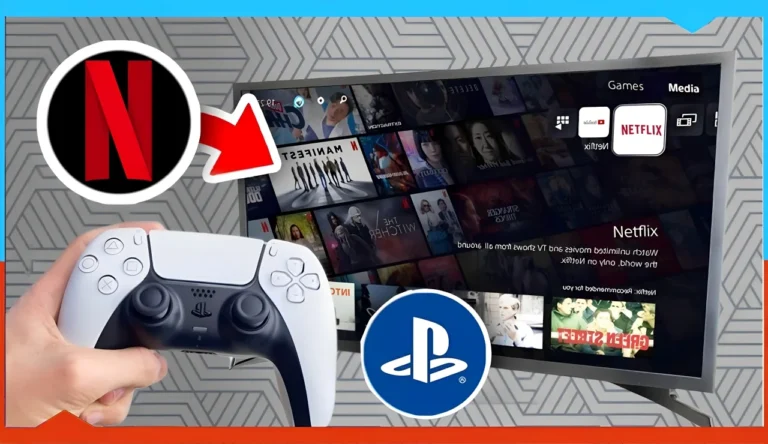
How to Watch Netflix on PS5 PRO (Full Guide)

0

Specialist media provided an extensive evaluation of the new platform after its global PlayStation 5 Pro launch came to market.

The console provides better entertainment through redesigned remote control features that users can sense from viewing specific buttons for popular services Netflix, YouTube and Spotify.

However, users can not access Netflix through the built-in applications but need to manually download the Netflix button from the PlayStation Store.

Netflix on PlayStation 5 Pro: Learn how to use it.

The PlayStation system aims to deliver both gaming entertainment and unified entertainment access because users can watch films listen to music and play games through its single device platform.

The Netflix application grows increasingly prominent in modern life and maintains its position as one of the leading platforms that delivers entertainment content. The following process enables the use of Netflix Application through the PlayStation 5 Pro.

🔐 Note: You must have PlayStation Network credentials to access the Netflix app.
However, you do not need a PlayStation Network subscription to run Netflix.

Step-by-Step: How to Install Netflix on PlayStation 5 Pro

Once you finish following the tutorial, you can also control it with your mobile device and choose between TV shows or movies to start playing. Clients can oversee their Netflix works through portable gadgets mainwhile observing substances on the PlayStation.

🎥 Watch this video to learn how to play Netflix on your PlayStation 5 Pro:

Your PlayStation 5 Pro ownership leads you toward streaming entertainment content directly from your console. Great choice. The following guide will show you how to prepare your Netflix account for binge-watching through PlayStation 5 Pro.

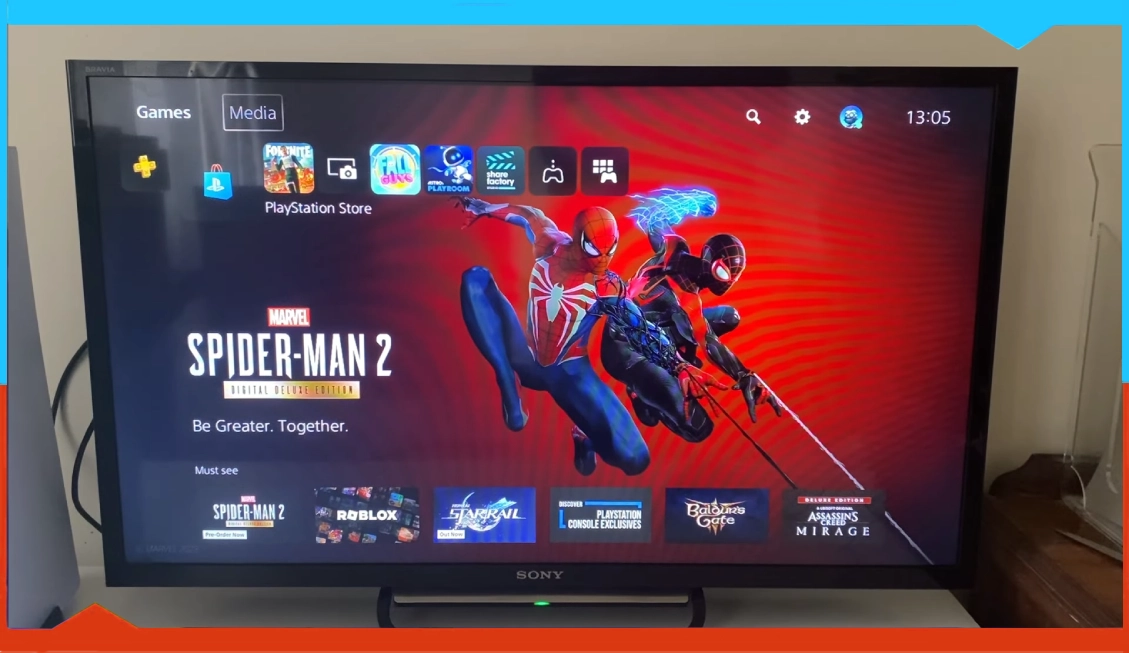
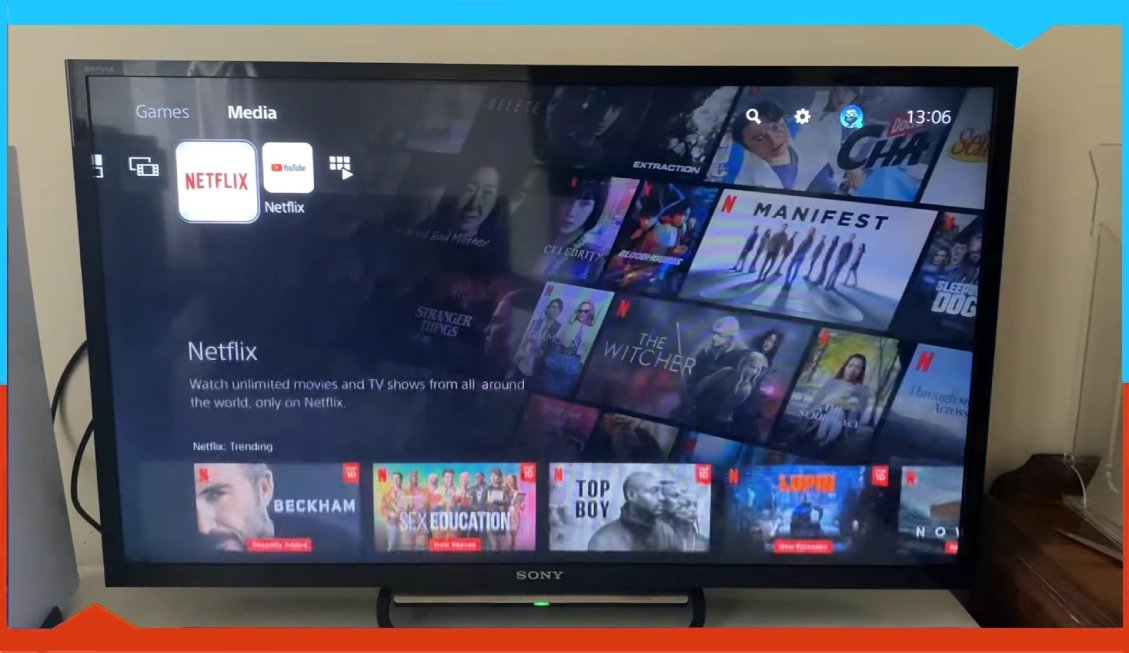
Step 1: begins with entering the Media section.

PS5 Pro home screen showing navigation toward the Media section tab.

After turning on your PS5 display, it will show its home screen. The top-left corner contains something you should notice. The screen features two sections you can reach through the Games and Media tabs. Use your controller to move to the right and access the Media section. That’s where the magic begins.

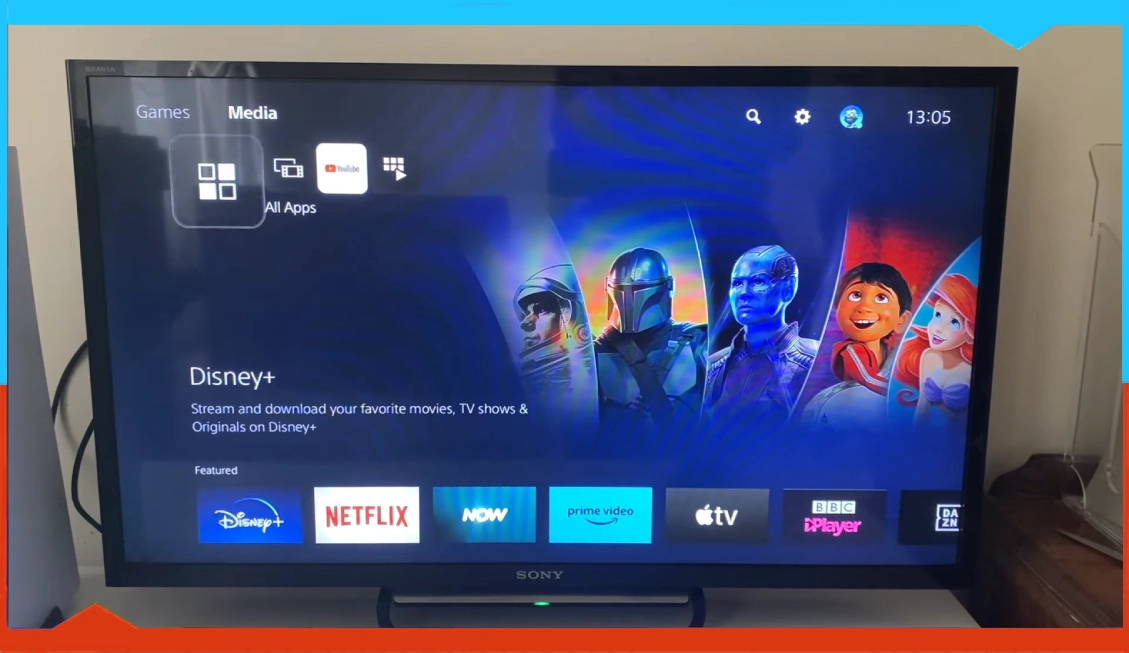
Step 2: Explore All Apps (Media)

All Apps menu open inside the PS5 Media hub, displaying streaming app options.

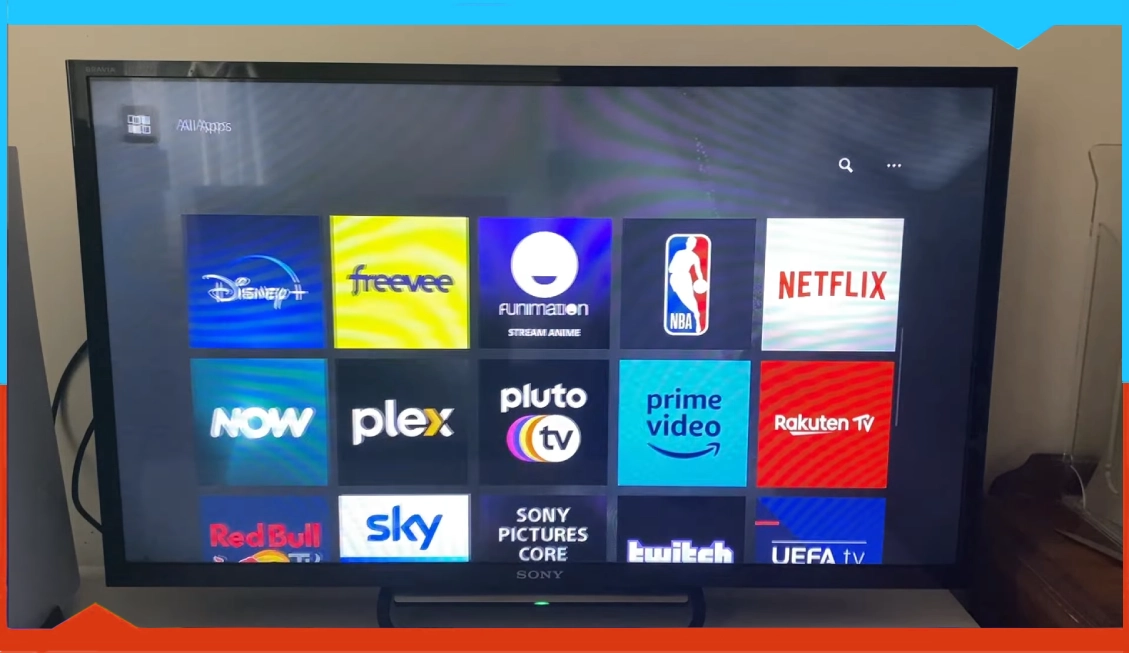
After entering the Media hub, proceed directly to All Apps. This menu contains an extensive selection of streaming options, like a “digital buffet”. When you click this button, the screen displays a vast list of media applications.

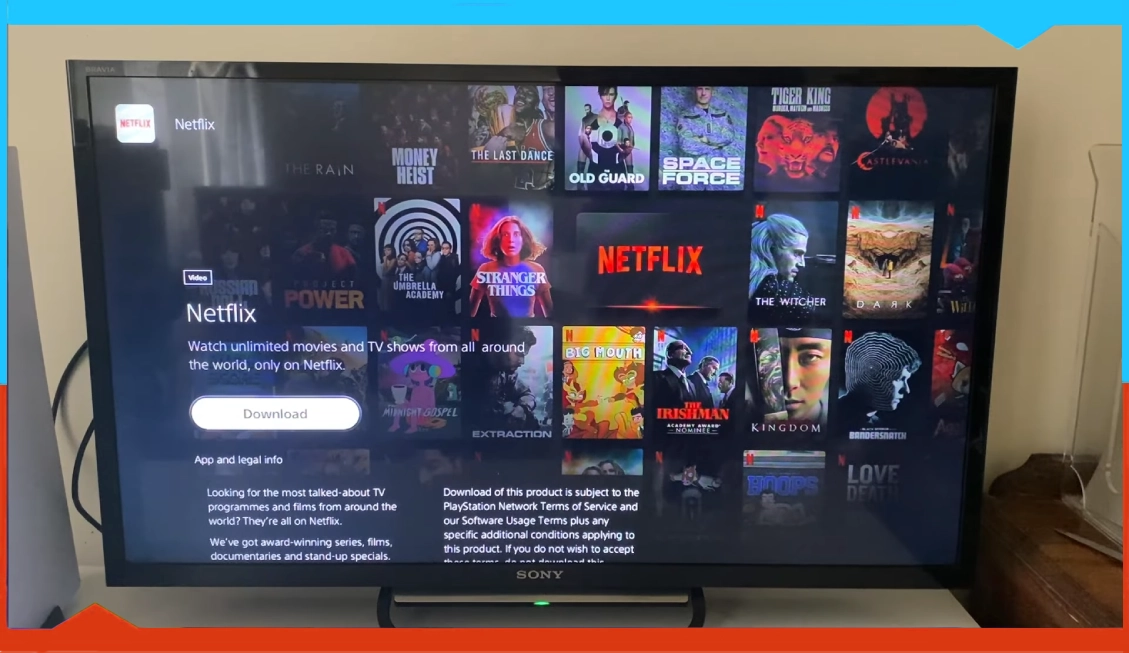
Step 3: Find and Download Netflix

Now, scroll down a little more. There it is—Netflix. You will recognize the familiar red and black icon that appears before you. Select it. Hit Download. Your console will download the app at lightning speed because it is not heavy.

Step 4: Open Netflix

PS5 Media section with Netflix app ready to be opened

Is the download complete? Nice. Use your controller to hit the Back button, which functions similarly to time travel. You will find Netflix in the Media section at the top of the screen, ready for selection. Select it. Open it.

Step 5 logging in and accessing the platform.

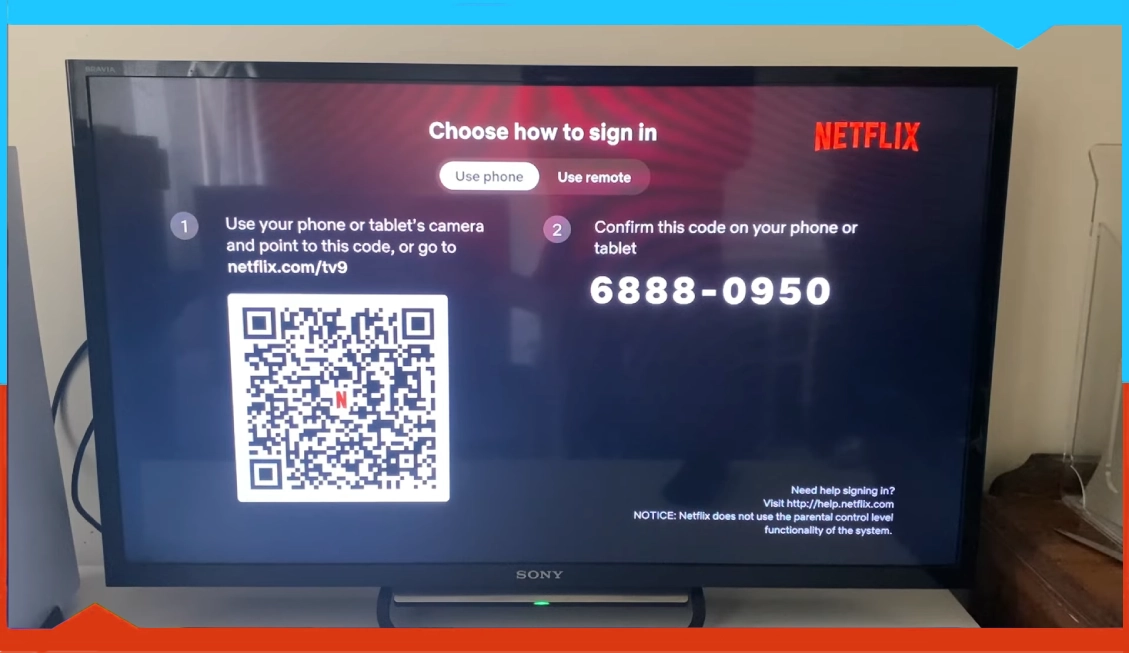
Netflix login screen on PS5 showing Get Started and Sign In options

After the application finishes loading, users are asked to choose between Get Started and Sign In effortlessly. You can bypass typing on a keyboard because login works seamlessly with paired remotes or smartphones. It’s super quick and painless.

Step 6, users should select their profile and obtain snacks.

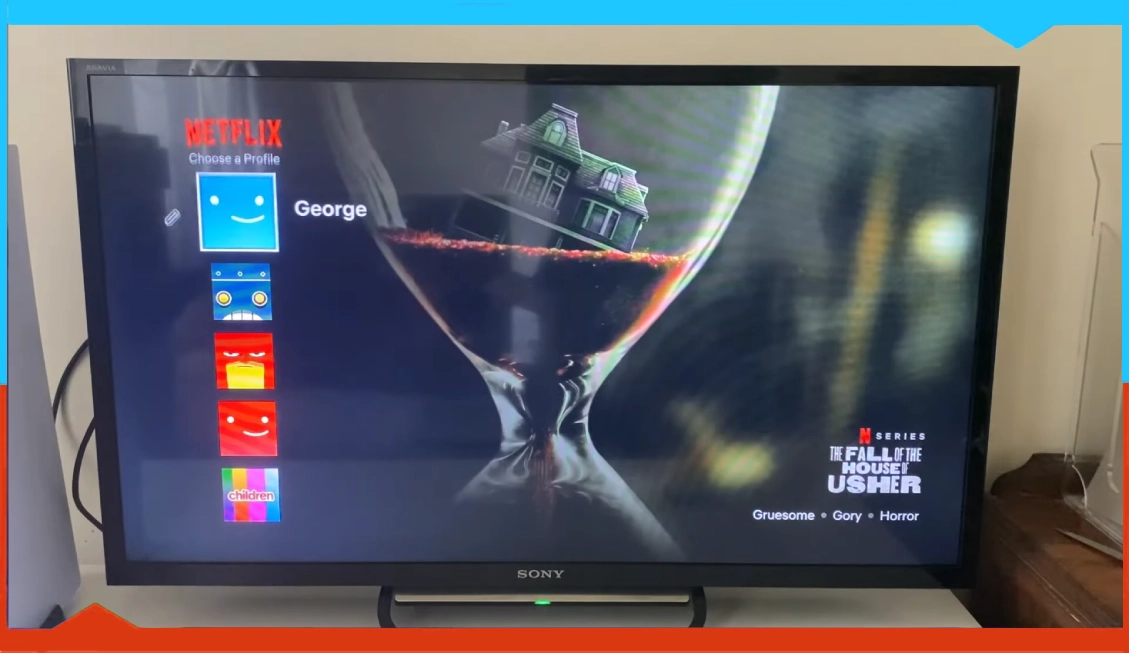
Netflix profile selection screen on PS5 with multiple user avatars

Select your profile through the avatar, which has stayed unchanged since those early years. Take a seat and settle down before you start enjoying your queue. The entire content selection, from new docuseries to your favourite rom-coms, exists exclusively for your PS5 experience.

Requirements to run the app :

The Netflix application requires an active network connection to play videos and its recommended speed specifications include minimum 0.5 and recommended 1.5 and standard 3.0 Mbps and high-definition 5.0 Mbps speeds. Lastly ultra-high definition playback works best at 25 Mbps.

  • 0.5Mbps minimum
  • 1.5Mbps recommended speed.
  • 3.0Mbps Recommended speed for SD playback.
  • 5.0Mbps Recommended speed for HD playback.
  • 25Mbps Recommended speed for Ultra HD playback.

Star Wars Jedi: Survivor Review

0

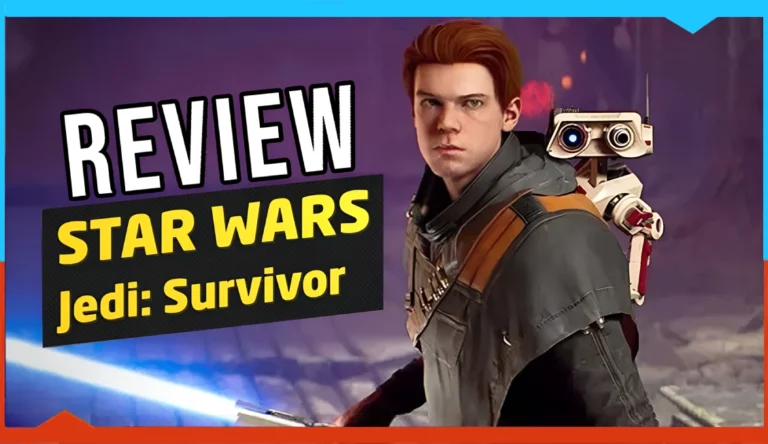
With the end of Star Wars Jedi Survivor’s journey, fighting the Galactic Empire, exploring different planets, and searching for hidden worlds, frankly, it is one of the best experiences of the year for me and among the candidates for the game of the year.

The reason is that Respawn Studio simply provided everything that should be present in a second part of the game in addition to Being the most beautiful and fun, albeit not without problems, and in this article, as is usual on our site, I will share my review of my experience with things that characterized the adventures of Cal Kestis character in the Survivor part of the game.

May the fun be with you

Presenting a second part of any game needs certain conditions to be able to succeed, and the most important of these conditions is to preserve the basic elements that characterized the first part, but with an increase in the narrative depth and diversity in it, in addition to developing and improving the elements that were not good, and this is exactly what Respawn Studio provided in Survivor part in most aspects. You will evaluate and review the game in detail with three important points which are combat; Navigation, exploration, and finally puzzles.

about Star Wars-Jedi Survivor

In combat, It provided something rare in our current generation’s video games, which is that you start with full strength and personal abilities acquired from the previous part, instead of being as usual, and it starts without abilities and develops again. But on the contrary, when five years have passed since the end of the events of the last part, the character of the hero has become more powerful, experienced, and fighting than before, with the confrontation of enemies using the luminous sword by different positions.

And with the abilities of the Jedi group, it is still a fun and fluid fighting style, even cinematic at certain moments. And with a significant increase in enemies, main and sub-bosses, the experience has become more fun and challenging, for example, with the ability to use five different modes of combat instead of the two modes in the last part. Where each unit has certain abilities, skills, and styles, and from it the options become more for the players in determining how to confront the enemies more largely.

In fact, I enjoyed eliminating the enemies, raising the rest in the air, or dropping them from a high place, while using the finishing moves through the different positions of the sword. As I mentioned, I love challenging and confronting leaders, as there are many leaders, whether in the world or on special missions. Where these leaders aim to eliminate the capture of the hero of the game and hand him over to the empire. Also, among the points that must be mentioned are the dialogues that were presented in a funny way that takes place between the characters. The dialogues differ according to the type of enemy, and I advise you to listen to the dialogues a little before you destroy any enemy you face. In general, everything that was present in the fighting style in the first part is available in a deeper, more diverse, and fun way.

This also applies to movement and exploration, because he and also Cal Kestis’ previous skills learned, such as double jumping or walking on walls, are with you from the beginning in a way that moves fast, especially since throughout a journey, new mechanics in the movement are introduced that make for a better experience.

As for me, the perspective of playing while moving presented the most enjoyable platform system in many years, and climbing, which is usually considered boring in games, has become a fun element in which it has speed and smoothness to the point that sometimes you feel that you are playing a game of the Metroidvania type. In terms of the similarity of the type of capabilities in this aspect and the necessity of using them in exploration.

The thing that increases and shows the enjoyment of capabilities more is the design of stages in all areas, where they have been implemented well, making them compatible with personal capabilities, and in a way that makes visiting the areas a habit important and necessary to learn more secrets, for example, open and large areas in which animals help to move quickly and areas Closed, you will find many tools that allow you to use the various and fun exploration capabilities.
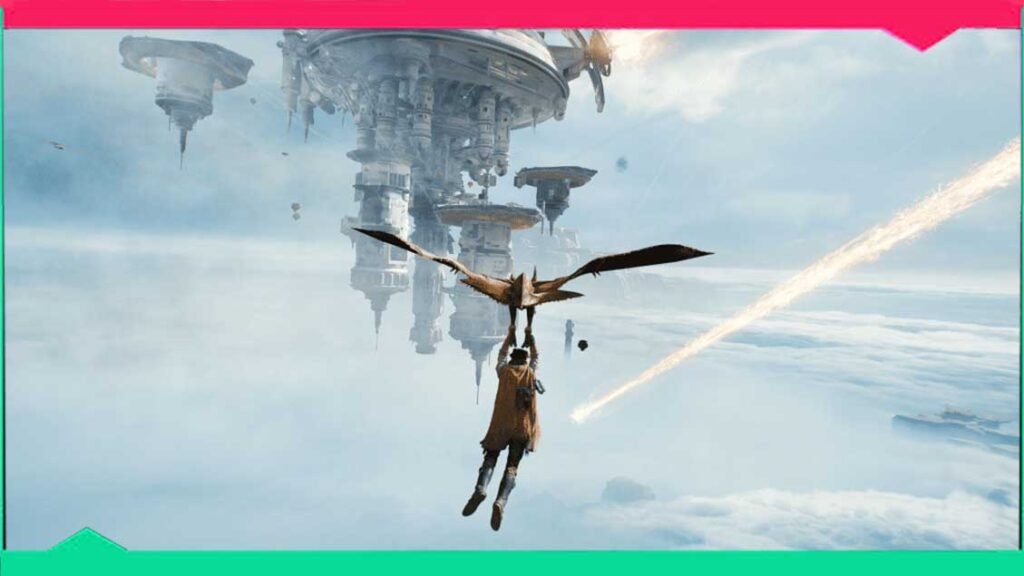
Also, great care was given to the element of puzzles, as well as how it supports all the capabilities that a character possesses, and forces you to think about all the possibilities to solve the puzzles, and frankly, there was creativity and a departure from the usual, especially in the large parks, where it presents difficult and optional challenges, and the puzzles are fun.

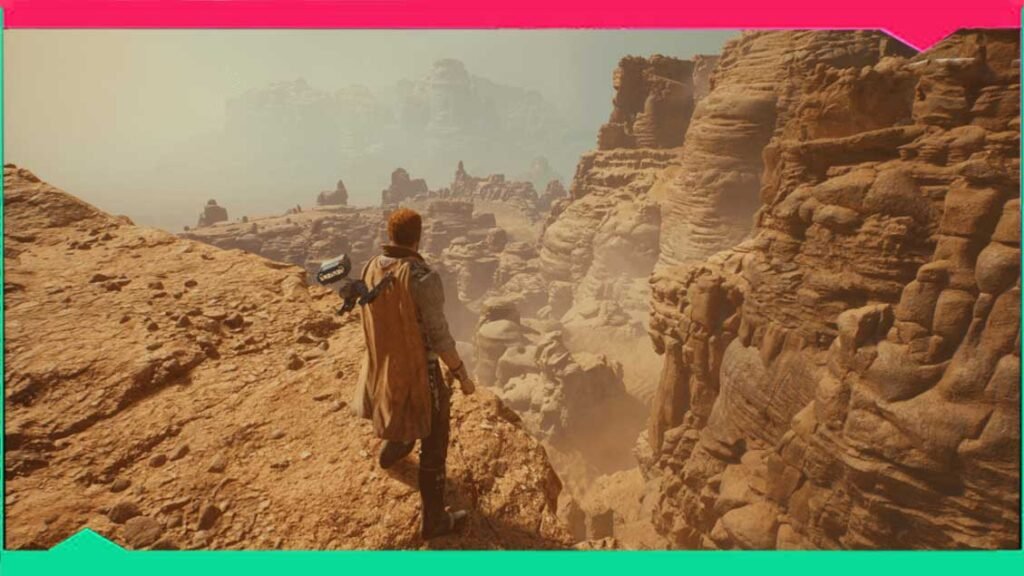
As we continue talking about exploration and open areas, although the number of planets in this part is less than in the first part, it is denser and has more explorable things and semi-open areas in which there are many secrets, tasks, activities, and challenges, with the possibility of rapid transfer between them, and this is something It existed in the past and personally, whether I was in the Jedi planet or the rich forests of kobo or on the devastated moon and others.

I was very enjoying exploring every corner and every place, whether to search for the boss fight challenges that I advise you not to miss or finish some main and side missions and know the stories and history of the game world, As well as obtaining experience points to develop abilities and skills while enjoying the stunning and stunning scenery offered by these places in terms of graphics details and visual elements.
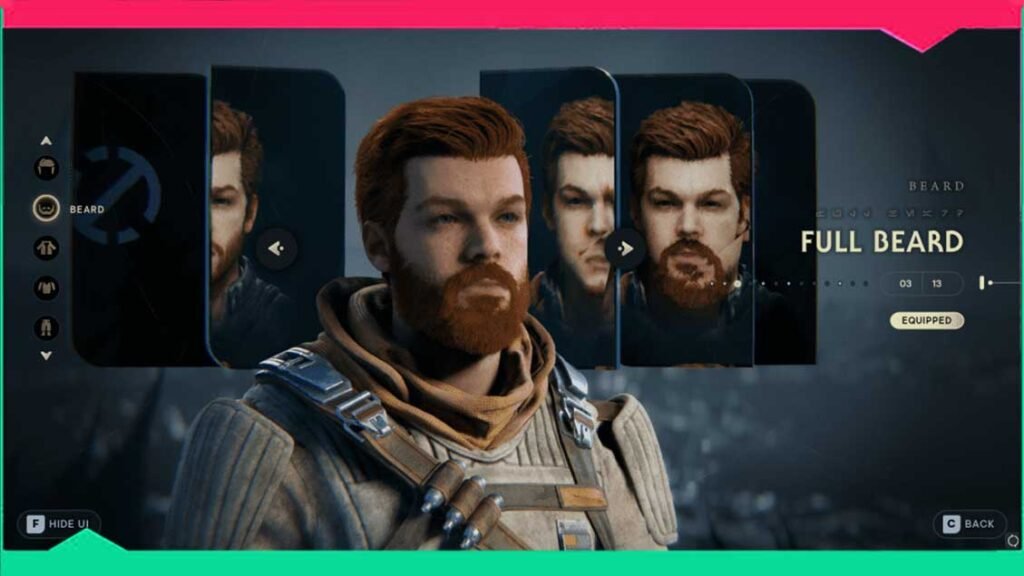
As for after getting tired of fighting, moving around, and saving galaxies, the main headquarters of Cal Kestis and allies are on the planet Kubo. Frankly, it was a beautiful and enjoyable touch. It is a place that gives you more opportunities to get to know the world and the characters you meet. It is also a place to relax. You can plant a garden or play fun future games as well. Between fights, you can change the appearance of the game character with a significant increase in customization options compared to the previous part.

As for away from the gameplay elements, let’s take a look at the story and events, with an artistic approach in a distinctive cinematic way and strong graphics, the events of this part are exciting with unexpected twists and characters that were presented at a high level of Writing, acting, and presentation, accompanied by excellent sound and visual effects and music that increase the feeling and sense of adventure. I also enjoyed this story more than the story of Cal Kestis, which was in the first part, and I hope that Caltex’s journey will continue and that it will be a trilogy.

Speaking of things that were presented positively in Star Wars Jedi: Survivor, I would like to quickly mention the smooth control experience with full support for Sony’s ‘DualSense’ controller, as well as the presence of a useful addition, which is the shooting mode in the game. And you can choose the “Grand Master” difficulty mode if you like a more difficult gaming experience.

The ship is unstable 

Most of us have heard the players’ problems with the performance of the game, especially on PC devices, where its performance and smoothness of play differ according to the type of device and processor, and the experience may also be unplayable at certain periods. Since my experience is on the PlayStation 5, it is what I will talk about, and in principle, the issue is completely different on the PC, as the performance of the game is better in stages, but I am not without problems, and I expect that even the Xbox X is similar to the situation of the PS5.

The experience was somewhat unstable, specifically in the frame rate more and in glitches less, because when I play at high settings, I would notice drops in tires from time to time, especially in the first hours of the first missions, as well as in some heavy and demanding cinematic scenes, and other than that, the issue became Better limit, although the problem persists until the end. But the important question is, does this drop affect my enjoyment of the experience? Of course not, the landing of FPS was not badly distracting. With the passage of time, they became more integrated with the events of the game, and I no longer paid attention to the problem. However, it would have been a better and better experience if these technical issues had been fixed.

As for me, the element that I really wished would be better, is the presence of the loading during the game for longer times than usual, whether in the use of fast navigation or in particular every time you enter and exit from the main headquarters, so that it is necessary that you stand in front of the door for about ten seconds in order to entry or exit.
In conclusion, after our journey with the hero Cal in Star Wars Jedi: Survivor, which increased the depth, diversity, and fun in all aspects that distinguished the first part, with more diverse and fun combat, faster and smoother movement, a sick exploration of visually stunning worlds, creative puzzles, and a variety of challenges to fight with a story in which exciting events and twists and turns Unexpected. In my point of view, I think it is an essential experience for all fans of the Star Wars world series and fans of adventure games in general, as it was able with all its might to enter the list of the best games for this year, but as we mentioned its most important defect that had to be fixed was that it needed to be more optimized and smooth, and otherwise, It is a masterpiece worth playing without any doubt.
Get Minecraft Legends Free via Prime Gaming for PC and Xbox

0

🎮 How to Get Minecraft Legends for Free with Prime Gaming (Xbox & PC) – Limited Time Offer!

Users with active Amazon Prime subscriptions can now obtain Minecraft Legends at no extra cost via Prime Gaming, for both PC and Xbox platforms. Once claimed through the Microsoft Store, the game is yours to keep permanently. And if you’re not a Prime member or prefer another route, the Game is also available on Xbox Game Pass.

Whether you’re a casual player or a die-hard Minecraft veteran, this is one deal you shouldn’t miss. And if you already own it? You can share your code with a friend—no strings attached.


🛠️ Step-by-Step Guide: Claim Minecraft Legends Free via Prime Gaming

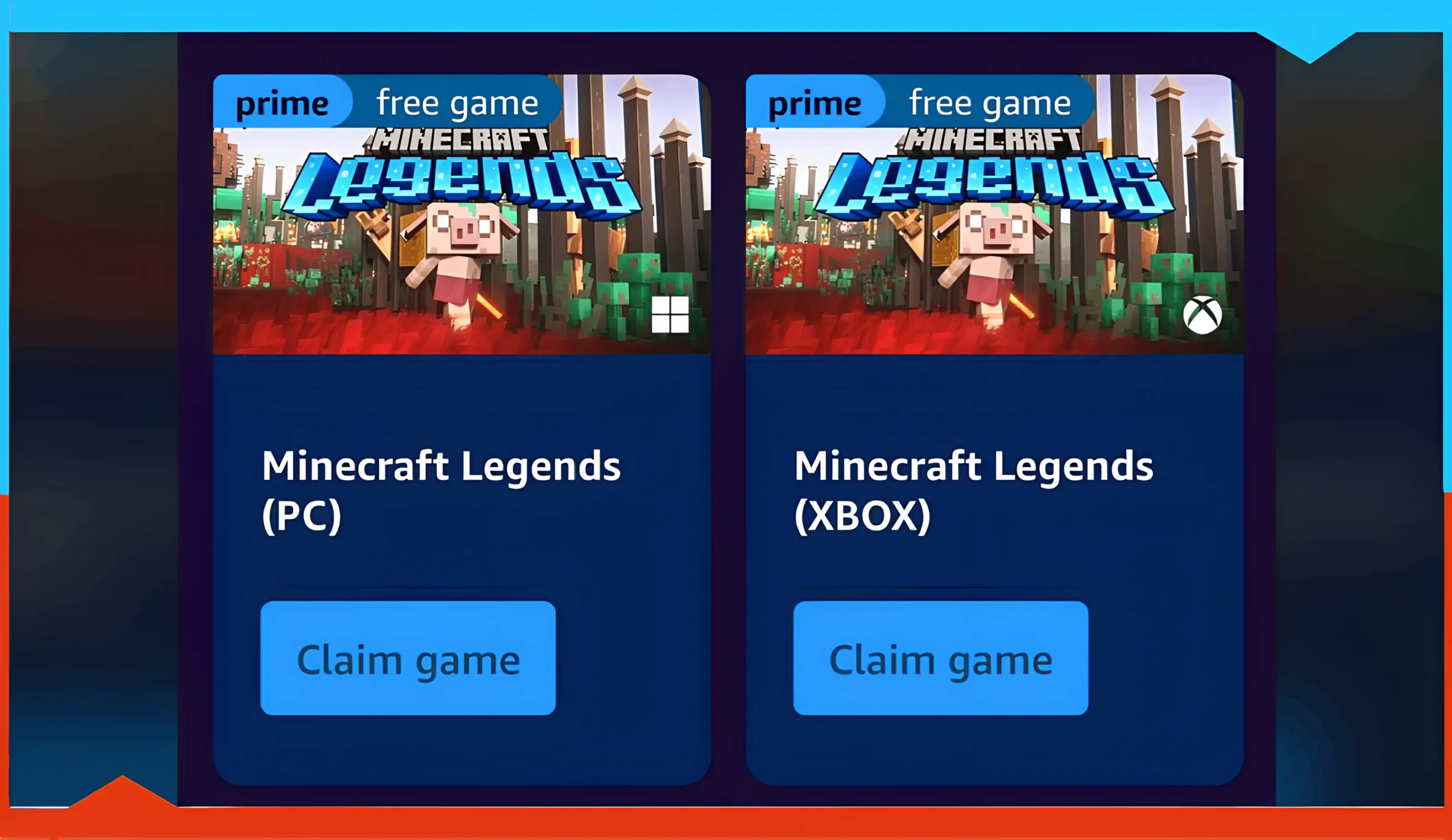
Two cards displaying different versions of Minecraft Legends with instructions for claiming via Prime Gaming.Here’s how You can claim the free Minecraft Legends game on the Microsoft Store through Prime Gaming by following these steps:

🔹 1. Get Your Prime Gaming Code

🔹 2. Redeem It via Microsoft Store

🔹 3. Enter Your Code

  • Paste the 25-character code.

  • Click “Next” and follow the instructions.

🔔 Note: This offer is valid from June 4 to July 4, 2025. Make sure to redeem it before it expires!

Once redeemed, the game becomes a permanent part of your library, no recurring fees, no limited trial periods—just full access to the game.


🧱 What is Minecraft Legends?

This real-time strategy spin on the Minecraft formula is titled “Minecraft Legends” and is the next major instalment in the Minecraft game series. Consider a mix of action and strategy in which you are commanding your army, fighting piglins from the Nether in the foreground, and managing myriad aspects of the battle.

Here’s what stands out:

  • 🔸 Narrative-driven campaign with cinematic cutscenes.

  • 🔸 Fully voiced characters—a rarity in Minecraft games.

  • 🔸 Co-op and PvP multiplayer for maximum mayhem.

  • 🔸 Cross-platform play between PC and Xbox.

Where some complained that the single-player mode is deficient in depth, multiplayer mode is where anarchy is entertaining. The idea of fighting other persons, protecting your own base, and even starting a war gives the games such an adrenaline rush which strategy games sometimes do not possess.

No matter if it’s a defense of the villages or crazed online battles, Minecraft Legends never stops the fight.

🖥️ System Requirements & Performance Optimization

Type
CPU
RAM
GPU
OS / DirectX
Storage
Requirements Test
Minimum (PC)
Core i5 2.8 GHz (or equivalent)
8 GB
NVIDIA GTX 780 / AMD Radeon R9 285 (DX12)
Windows 10 (v2004+) or 11 / DX12
24 GB free
Recommended (PC)
Core i5 3.4 GHz (or better)
8 GB
NVIDIA GTX 1060 / AMD Radeon 580
DirectX 12
24 GB free

✅ Final Thoughts: Should You Claim It?

Absolutely. Even if you’re not sure when you’ll play it, claiming Minecraft Legends while it’s free is a no-brainer. With no risk, no expiration once claimed, and the ability to gift the code—it’s a win-win.

So go ahead, grab your free code, and explore a different side of Minecraft.

🧐 FAQs :

When does the Prime Gaming code expire?

Claim by June 4, 2025; redeem by July 4, 2025.

Can I gift my Prime Gaming key?

Yes—codes aren’t account-bound; you can share freely.

Do I need Xbox Game Pass to play?

No—Prime Gaming claim alone suffices; Game Pass is an alternative for non-Prime members.

Will I lose the game if I cancel Prime?

No—once redeemed, it remains in your library permanently.

Is cross-play between PC and Xbox supported?

Yes—enjoy multiplayer sessions across both platforms.

How to Pick a Gaming Laptop in 2025: Affordable & Powerful Options

0

Yes, it’s possible to be a gamer without breaking the bank or sacrificing game quality!

If you’re a PC gamer, this article may put you off first, and we are sure many of you will be outraged.

Despite the progress made by portable gaming PCs, which have had almost nothing to envy fixed PCs for the past few years, the blame persists.

So, to those who loudly claim that to be a “real gamer,” you need a hyper-powerful tower packed with technical features — let us convince you!

HOW DO YOU CHOOSE YOUR GAMING LAPTOP?

The first step to purchasing a gaming laptop requires considering its components.

Spending too little on these components will force you to buy another computer within half a year.

Determine the processor compatibility because you need to choose an optimal power-autonomy balance.

But which processor should you choose for gaming?

  • The M H and Q series are the most versatile processors for diverse computing needs, including gaming. Still, the Q Core i7 stands out as the most adaptable (you can find this processor in modern versions such as Intel Core i7-14700HX or Ryzen 9 8945HS).
  • Choose an M or H series Core i5 or i7 processor to play games.
  • The Quad Core processor is the better choice because game developers continue enhancing their titles to utilize its capabilities.
  • The Core i7 Quad Core Q or K series is our preferred choice for gaming and graphics operations.

AS FOR THE GRAPHICS CARD

You can choose between NVIDIA and AMD.

Out of habit and loyalty, we prefer NVIDIA, but AMD is also an affordable and quality brand.

The NVIDIA GTX 960 graphics card is now the basics — now succeeded by the RTX 3050 or AMD Radeon RX 7600M XT in 2025 models..

Finally, don’t forget to check that your computer has a sound cooling system.

It’s essential! If your computer doesn’t have a built-in cooling system, invest in an external machine that can be connected, for example, via USB.

 Cooling: Don’t Ignore It

The correct cooling system protects the system from thermal throttling and fan noise generation. Look for:

  • Dual-fan setups
  • Large exhaust vents
  • Heat pipes or vapor chambers

Additional cooling through a USB-powered external pad can help those whose laptops remain overheated.

WHICH GAMING PC AT AN AFFORDABLE PRICE?

Here, we present two gaming laptops at affordable prices.

Well, inexpensive laptops, yes, but not at the expense of quality!

By ‘affordable’, we mean prices ranging from a minimum of $499 to $1,500 for a quality entry-level computer.

It’s hard to find a good gaming PC below that range.

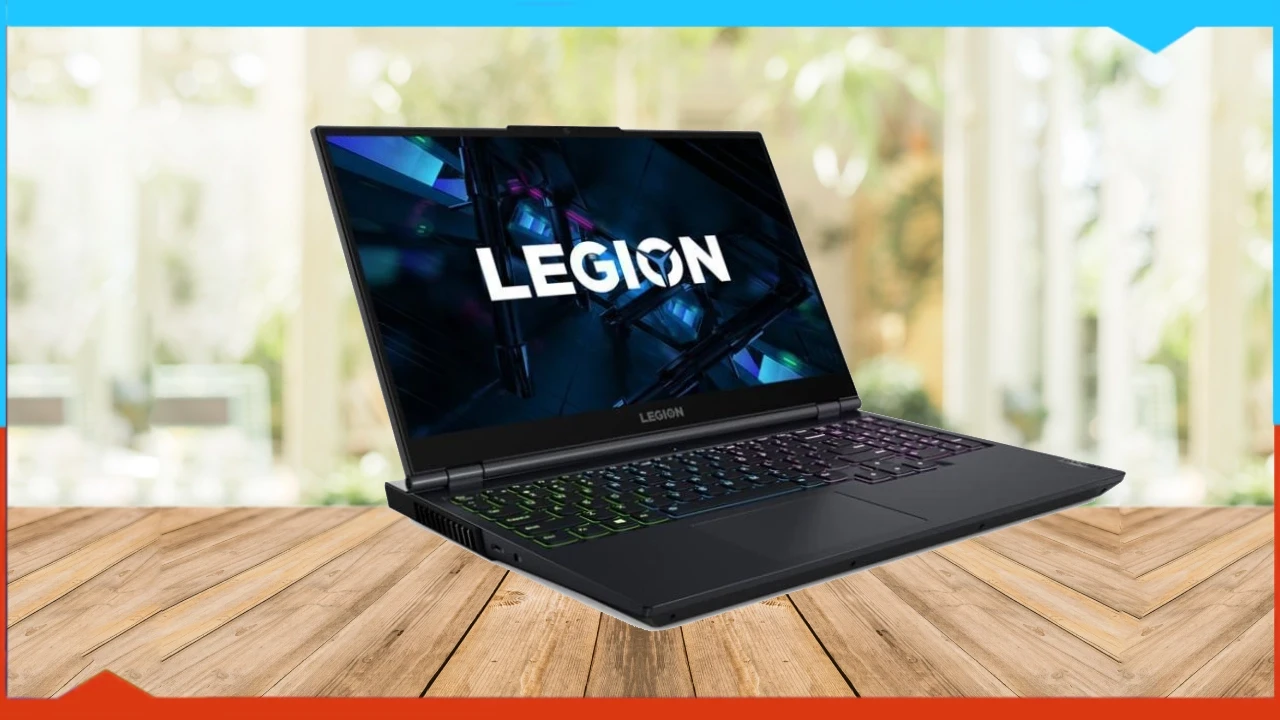
Lenovo Legion 5

Lenovo Legion 5

The Lenovo company produces an extensive range of hardware products. Lenovo offers every combination required by customers, so it remains a primary strength of the company from our perspective. The budget gaming market receives its yearly devices from the Legion 5 series of products.

The Legion 5 laptop brings this array of specifications that provides processor and graphics chip capabilities superior to those of the previously mentioned laptop:

  • Graphics Card: NVIDIA GeForce RTX 3050 Ti.
  • Processor: Intel Core i7-11500H Hexa-Core.
  • RAM: 8GB of DDR4, expandable to 16 GB.
  • Storage: 512GB third-generation NVMe module.
  • Display: The device incorporates a 15.6-inch Full HD IPS screen that operates at a 165Hz refresh rate.
  • Dimensions: 2.3kg and 2.4cm thick.

The laptop provides a processor comparable to Intel models, together with a graphics chip weaker than RTX 3060 but matching the performance of RTX 3050 Ti. Half the SSD capacity comes.

Buy Lenovo Legion 5


HP Pavilion Gaming 15

HP Pavilion Gaming 15

Multiple HP Pavilion versions exist in the market today. HP released several Pavilion versions that use distinct hardware elements in each release, and today’s Middle East market has the ec2033ne model equipped with RTX 3050 Ti for the lower-priced economic category, distinct from high-end versions.

This laptop features its components as follows:

  • Graphics Card: NVIDIA GeForce RTX 3050 Ti.
  • Processor: AMD Ryzen 7 5800H Hexa-Core.
  • RAM: 16GB of DDR4 in two modules.
  • Storage: 265GB NVMe third-generation NVMe module with a terabyte hard drive.
  • Display: The 15-inch IPS display of this model offers Full HD resolution with a 120Hz refresh rate.
  • Dimensions: 2kg and 2.35cm thick.

This laptop has a processor that resembles the Duo, while its 16GB of RAM exceeds the second model, with its unique thin screen edges making it a preferred option due to these features at  $421 USD.

Buy HP Pavilion Gaming 15


ASUS TUF Dash 15 Laptop!

The ASUS TUF Dash 15 stands as one of ASUS’s leading affordable gaming laptop products. This laptop contains complete gaming capabilities thanks to its mentioned specifications.

  • Graphics Card: NVIDIA GeForce RTX 3050
  • Processor: Intel Core i5-11300H with four cores
  • RAM: 8GB DDR4
  • Storage: 512GB NVMe fourth-generation NVMe module
  • The display consists of Full HD resolution with a 144Hz refresh rate IPS 15.6
  • Dimensions: 2kg and 2cm thick

The product includes basic specifications that fall below other models on the market. People who seek affordable laptops may choose according to their preferences since their desired one-laptop combination includes both gaming and productivity. Currently, the laptop costs $352 and offers a better price point than what was shown previously.

Buy ASUS TUF Dash 15


Lenovo IdeaPad Gaming 3 :

Lenovo IdeaPad Gaming 3

In their product range, Lenovo offers various choices, but we will finish our review with the IdeaPad Gaming 3, which brings lower specifications than the Legion series to provide affordable options.

  • Graphics Card: NVIDIA GeForce RTX 3050
  • Processor: Intel Core i5-11300H with four cores
  • RAM: 16GB of DDR4 on two modules
  • Storage: 256GB third-generation NVMe with a terabyte of hard drive.
  • This unit features a Full HD display that works at a 120Hz refresh rate alongside a 15.6-inch IPS panel.
  • Dimensions: 2.25kg and 2.4cm thick

The current laptop model contains twice the amount of memory it had originally. Users now acquire a 256GB SSD and a terabyte hard drive combination at the same price point as the ASUS machine described earlier. The additional storage space functions as compensation for SSD space, but splits opinions between buyers.

Buy Lenovo IdeaPad Gaming 3


Final verdict

While Asus and MSI were market leaders until recently, Dell, HP, Lenovo, and Acer now offer hyper-competitive configurations in the field of gaming laptops.

Whether you use them to complement your desktop PC or not, gaming laptops are definitely among the new must-haves for gamers.

So now it’s up to you!


FAQs :

Which graphics card selection stands best for gaming laptop purchases?

The NVIDIA GeForce RTX 30 Series and AMD Radeon RX 6000 Series are the top options for gaming cards on the market today.

Should I install a gaming laptop with an SSD or an HDD?

You should choose an SSD for faster loading times, but you can add an HDD for extra storage capacity.

What is the ideal significance of refresh rates in laptop displays?

A high screen refresh rate produces smoother gameplay because rates above 120 Hz and 144 Hz enhance fluid motion.

Can I elevate the components of my laptop?

The capability to upgrade depends on the specific laptop model because certain devices enable memory and storage modifications, but others restrict users from making such changes.